By 2026, the era of needing a PhD in Photoshop is officially over. But so is the era of heavy-handed filters that turn faces into blurred masks. Today, magazine-quality shots are crafted in minutes on a smartphone, provided you know the golden rule:restraint. It’s no longer about what youcan change, but knowing exactly where to stop.
Let's try to figure out how to retouch your photos in 2026 so they look natural.
Keep the texture, lose the flaws
The quickest way to spot an amateur is "plastic skin." Wiping away every pore isn't just outdated; it looks desperate. The modern aesthetic demands reality: texture, natural volume, even fine lines. Your goal is to curate, not erase. Use tools like Facelab’s Retouch feature to target specific distractions: a breakout, dark circles, or harsh grease shine while leaving the skin’s natural grain intact. We want a polished human face, not a wax figure.
Correct the lens, not your genetics
There’s a massive difference between fixing a wide-angle lens distortion and undergoing digital plastic surgery. One corrects physics; the other erases your identity. Instead of sculpting a new nose or jawline, focus on compensating for the camera’s lies. Soften the harsh angles or fix the asymmetry caused by a bad tilt. Tools likeSculpt are brilliant for these micro-adjustments, but treat those sliders with caution. If you start looking like a stranger, you’ve gone too far.
The eyes and the digital vanity kit
Phone cameras are notoriously cruel to the eye area, often exaggerating exhaustion that isn't really there. The fix is a three-step dance: neutralize the under-eye shadows, gently whiten the sclera, and sharpen the lashes. It’s about looking rested, not porcelain. Combine this with "digital makeup" rather than blanket filters. A global filter tints the whole world's sepia; digital makeup: a touch of contour, a specific lipstick shade, a bit of blush. This adds depth exactly where needed. Create a couple of signature presets (Day, Night, Bold) to keep your personal brand consistent without becoming repetitive.
Experiment without consequences
One of the distinct advantages of AI editing is the "try before you buy" factor, especially with hair color. Before you commit to bleach and damage, test that platinum blonde or electric blue
digitally. It’s a risk-free way to see how a shade plays with your skin tone and wardrobe. Speaking of wardrobe, the 2026 trend is holistic: it’s not just about the face anymore. Use editing suites to tweak the outfit or the background vibe. The image should feel like a cohesive moment, not just a floating head.
Body language and the "warped wall" trap
Body editing is the slipperiest slope in the game. We all want to fix an unflattering angle, but nothing kills credibility faster than a warped doorframe behind a snatched waist. If you must adjust proportions, do it minimally and only to correct obvious distortions. Respect the architecture around you. The aim is to present your best self, not a physics-defying caricature.
The final verdict: authenticity wins
Ultimately, the most sophisticated tool in your arsenal is your own judgment. It’s incredibly easy to get lost in the sliders and edit yourself out of the frame. But in a world flooded with AI-generated perfection, authenticity is the only currency that matters. Develop a mental checklist: lighting, skin, eyes, vibe check and stick to it. If the person in the photo doesn't look like the person walking down the street (on a really good day), hit reset. Keep it honest, keep it classic.
Liquid error (sections/article-template line 192): Invalid form type "55\n", must be one of ["product", "storefront_password", "contact", "customer_login", "create_customer", "recover_customer_password", "reset_customer_password", "guest_login", "currency", "activate_customer_password", "customer_address", "new_comment", "customer", "localization", "cart"]

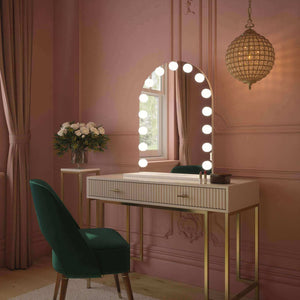
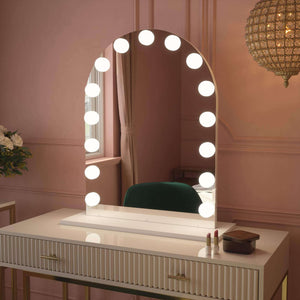

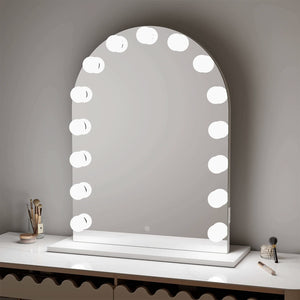
 Alicia Hollywood Mirror 60cmx80cm
 Angelina Full Length Arch Hollywood Mirror 160 x 60cm
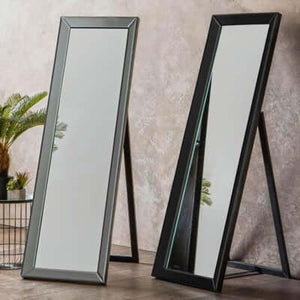
 Angled Luna Mirror-Cheval Black
 Angled Luna Mirror-Cheval Gray